Neo_____ posted:
Any way to boost performance for crappy laptops? It's weird...it run WoW no problem, but DAoC is all choppy in RvR.
Its an old Dell Inspiron 1545. Graphics card isn't upgradable....so is there anything I can do? (besides the obvious throw it off the balcony)
All choppy in RvR can mean a lot of things. How many people? How choppy? What is the FPS reading when it is choppy?
In general and just based on your GPU, I am sorry to say that if what I looked up is correct and you have a 4500 GPU . . . . that would put your GPU at he same level as the Ti500, FX 5200 or the 9600 LE (perhaps as high as the Ti-4200). Those are all very, very low end GPUs for a game like DAoC.
You say that it can play WoW fine. WoW is not as GPU intensive as DAoC. DAoC can cause a computer to produce more heat than many other games.
Mostly there is not much that you can do. There is one thing that you should look into though, it may not help but it may help a small bit.
Heat could be a part of your issue. Old laptops can end up with a lot of hidden dust. Even if heat is part of your issue, your GPU is not really up to running DAoC. Your laptop may do ok for PvE and perhaps in the BGs with a low player count and with graphics set to low but mostly even with a good cleaning your computer is not really up to running DAoC.
Cleaning is not expensive so it is worth a try. Be very careful if you open the case to get at the hidden dust. Also you can google for info and directions for laptop cleaning.
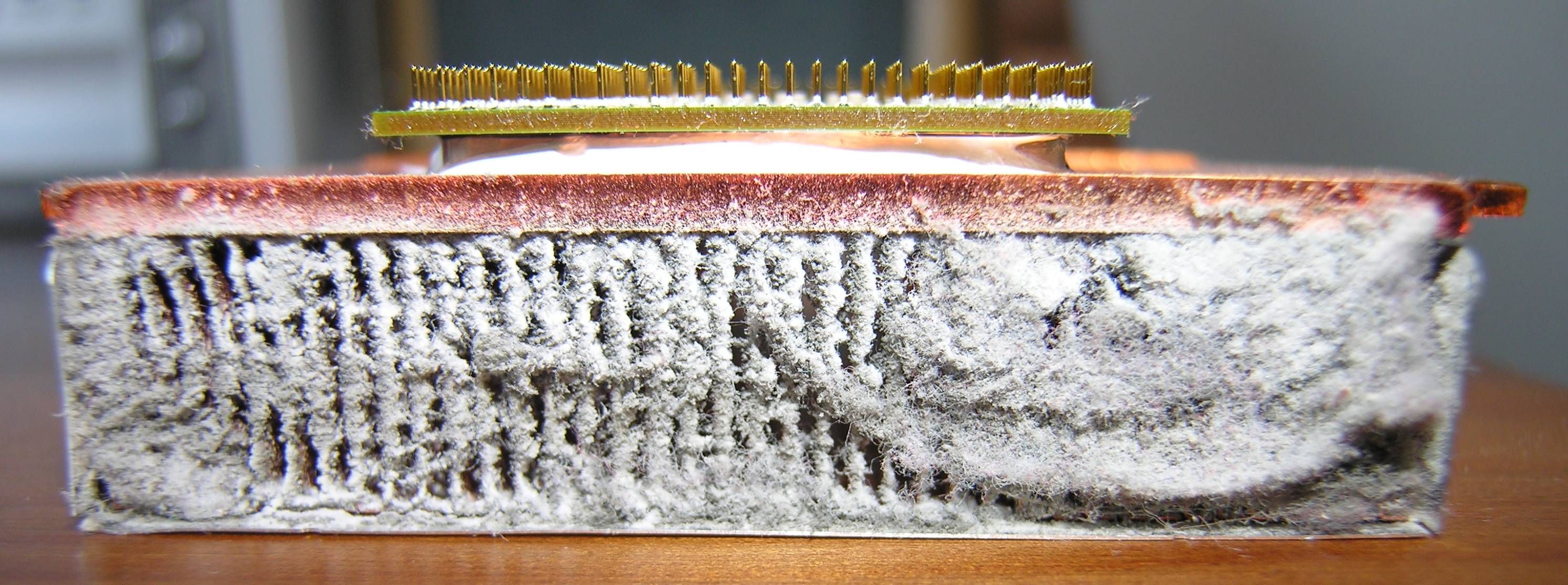
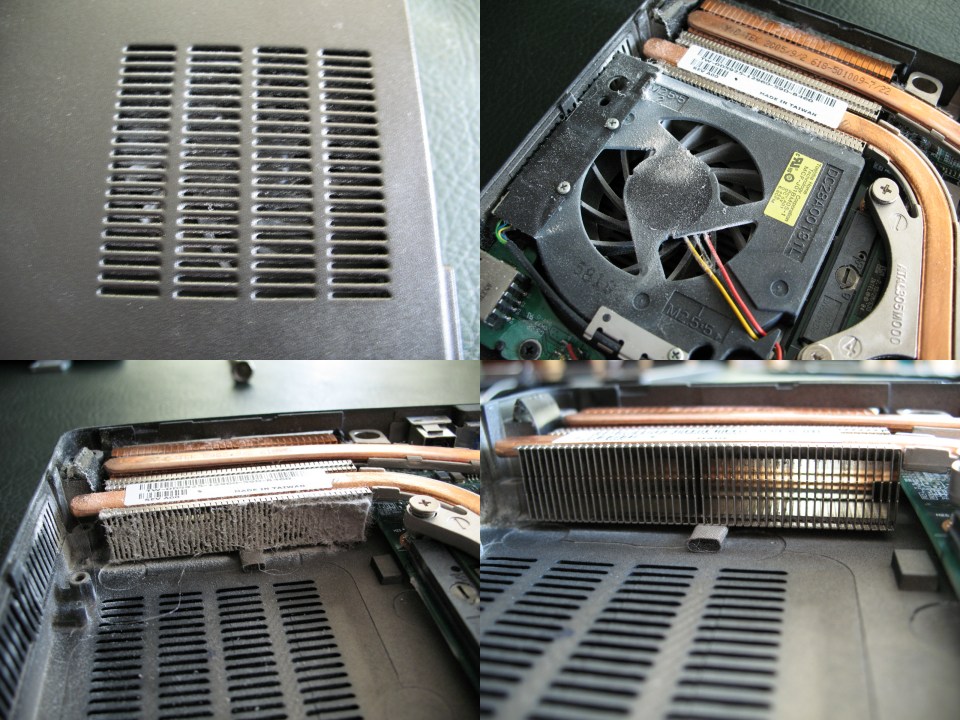
I would start by getting some compressed air (canned air available at any office supply, Office max, Walmart office section, etc. . . ) and use it to blow out the dust from inside the laptop. (Follow the cautions on the can of air and unplug the computer and pull any battery to remove power from the laptop before using canned air). If you look at the pictures above, some dust may be too deeply hidden for just a bit of canned air to dislodge it all.
If you do not have a laptop cooling pad you need to get one (they are only $15 to $20).
Some laptop manufacturers (and some desktop makers), to get the energy star rating, will put draconian limits on the fan/CPU/GPU energy consumption. For normal use the slow fan speed keeps energy use down and almost never causes problems with simple programs like IE or Word but when playing games a slow fan can cause problems.
Some computers have fan controls where the user can increase the fan speed. If your laptop has such controls I would suggest that you increase the fan speed. Some fan controls are in the bios and you have to get into that when you first turn on the computer.
If your computer does not have a fan control in the bios, another way to improve heat dissipation is to get an over clocking program (no you will not be using it to over clock) and use the program to control/adjust the fan speed to a higher settings. Increasing the fan speed will shorten the time your laptop will run on batteries (faster fan consumes more power) and it may increase fan noise but it will help keep the components cooler.
gl
-----signature-----
The art of war is simple enough. Find out where your enemy is.
Get at him as soon as you can. Strike him as hard as you can,
and keep moving. - Ulysses S. Grant
Only the dead have seen the end of war - Plato






